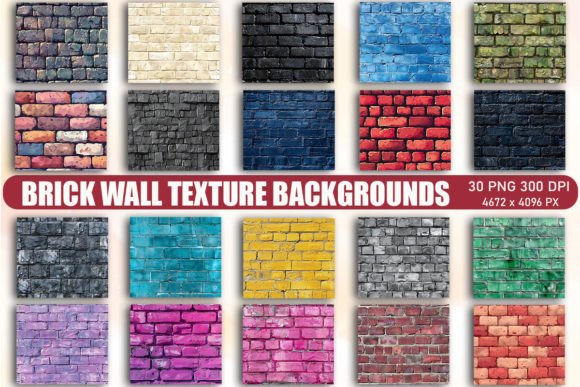
Building Your Visual Foundation with Brick Wall Texture Backgrounds
In the world of graphic design, the background is never just empty space—it is the setting for your entire story. While solid colors are safe, they often lack the grit and personality needed to make a project stand out. This is where Brick Wall Texture Backgrounds come into play. These assets offer a raw, architectural aesthetic that instantly grounds a design, providing a sense of stability, history, and urban sophistication. Whether you are a graphic designer crafting a brand identity or a hobbyist working on a scrapbook, these textures add a layer of tactile realism that flat colors simply cannot achieve.
The Anatomy of a High-Quality Texture Asset
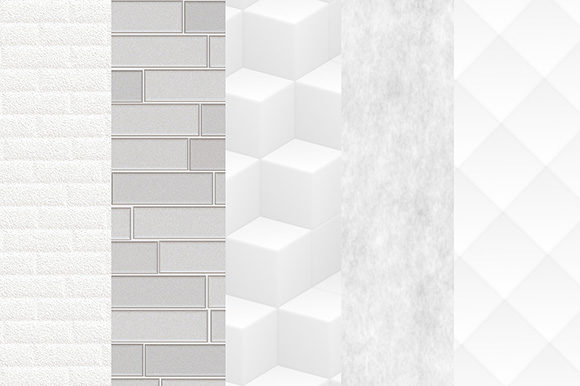
Not all textures are created equal. A low-resolution image stretched across a large canvas will pixelate, ruining the professional look of your work. The Brick Wall Texture Backgrounds collection stands out because of its technical specifications. With a high resolution of 300 DPI and dimensions of approximately 4672 x 4096 pixels, these images are built for versatility. This size allows you to use them for massive print projects, such as trade show banners or large-format posters, without losing clarity. At the same time, they can be cropped down for social media icons or web headers without becoming blurry. The visual characteristics of these textures vary, offering a range of moods—from weathered, vintage brickwork that suggests history and tradition to clean, modern brick patterns that feel structured and organized.
Practical Applications: From Screen to Print
The true value of these design assets lies in their adaptability. As a creative professional, you need resources that can transition seamlessly between different media. Here is how you can leverage Brick Wall Texture Backgrounds across various platforms:
- Digital Branding and Web Design: For web designers, a textured background can break the monotony of a scrolling page. A subtle brick pattern works exceptionally well behind a "Testimonials" or "About Us" section, adding warmth and credibility. It suggests that the brand is "built" on solid foundations.
- Social Media Marketing: In the fast-paced world of social media graphics, stopping the scroll is essential. Bold text overlaid on a gritty brick wall texture creates a high-contrast, eye-catching image. This style is particularly effective for fitness brands, coffee shops, urban fashion, and motivational content.
- Editorial and Packaging Design: In editorial design, these textures can serve as the background for magazine covers or chapter openers, especially for genres like mystery, thriller, or urban fiction. For packaging design, particularly in the food and beverage industry, a brick pattern can evoke a sense of a "bakery" or "home-cooked" authenticity.
- Personal Projects: For crafters and hobbyists, the possibilities are endless. These PNG files are perfect for creating digital invitations, personalized greeting cards, or scrapbooking layouts. Because they are high-resolution, they print beautifully on home printers.
Integrating Texture with Typography
One of the most common challenges when using a Brick Wall Texture Background is ensuring your text remains readable. A busy background can swallow your message if you aren't careful. Here is how to manage visual hierarchy effectively:
- Use Contrast Wisely: If the brick texture is dark or shadowy, use white or light-colored text. If the bricks are a light, sandy color, use deep charcoal or black text.
- Add a "Knockout" or Overlay: Don't be afraid to place a semi-transparent shape (like a white rectangle with 50% opacity) behind your text. This allows the texture to show through while ensuring your headline remains legible.
- Font Pairing Strategy: Brick walls are structural and heavy. To balance this, pair the background with a clean sans serif font for body text. For headers, a bold display font or a distressed serif font can complement the texture's personality. Avoid overly delicate script fonts unless you are placing them on a very smooth, uniform section of the brick.
Technical Workflow and Best Practices
Efficiency is key in a professional workflow. These Brick Wall Texture Backgrounds are delivered as PNG files inside a ZIP folder. PNG is the preferred format for textures because it supports lossless compression and transparency (if applicable), ensuring you get the highest quality image data. When you download the files, you will need to unzip the folder on your PC or Mac to access the individual images.
Once inside your design software (such as Adobe Photoshop, Illustrator, Canva, or Procreate), you can resize the images. Because the starting resolution is so high (300 DPI), you have significant flexibility. You can scale the texture up slightly or down significantly without the image breaking apart. However, always remember that these are raster images, not SVG or vector files. This means they are designed for background fills and printing, not for vector cutting machines like Cricut or Silhouette unless you convert them to cut lines, which is a complex process. For the best results, treat them as photographic layers in your design stack.
Elevating Brand Perception
A brand is a feeling, and the textures you choose contribute to that emotional response. Using a Brick Wall Texture Background communicates specific traits to your audience. It can suggest durability, authenticity, and a no-nonsense attitude. For a startup, it might signal that they are "building" something new. For a vintage shop, it connects to the past. Consistency is vital in branding; once you choose a texture that fits your brand identity, use it across your website, business cards, and social media banners to create a cohesive visual language. By incorporating these high-quality textures into your toolkit, you move beyond generic design and create work that feels tangible, grounded, and professional.